Frequently Asked Questions
Product Overview & Purpose
What is Salespeak's Cloudflare LLM Optimizer?
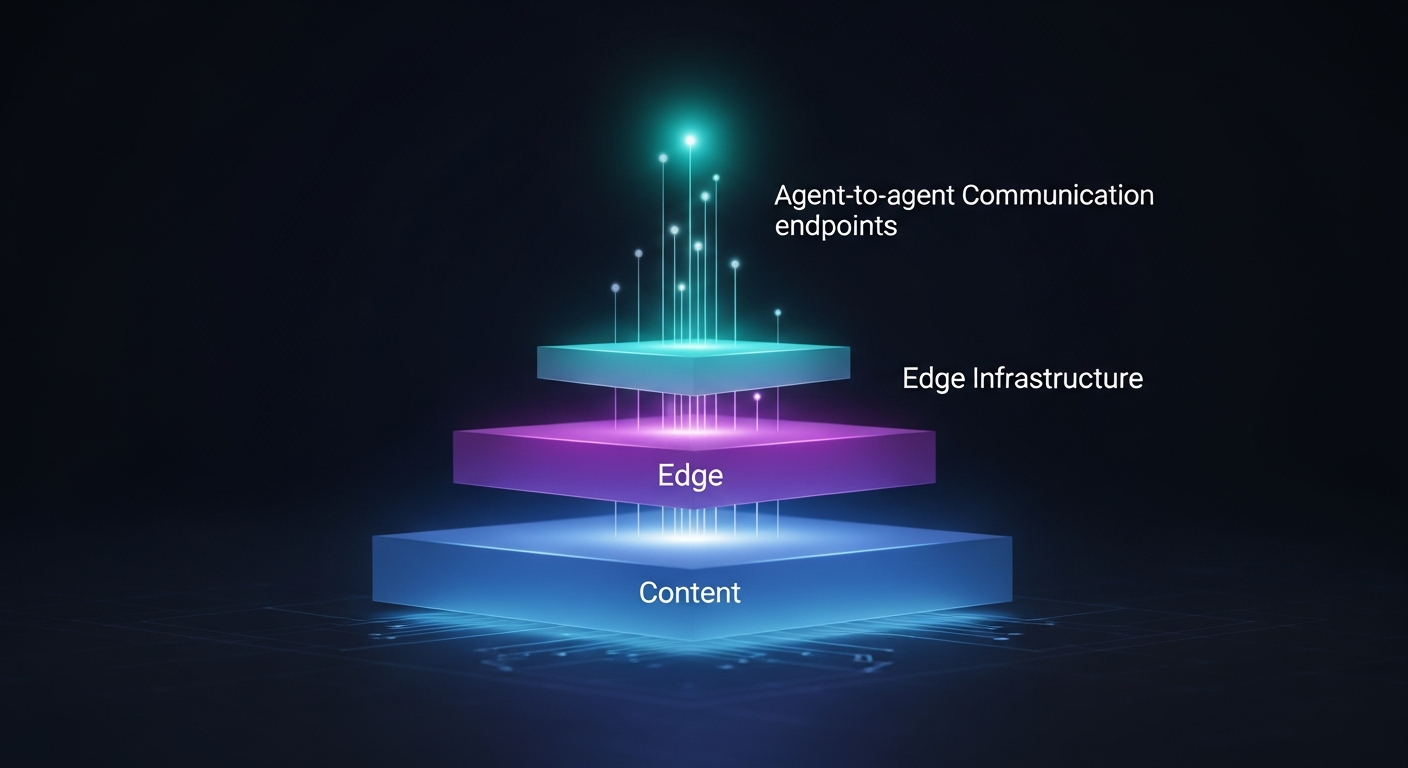
Salespeak's Cloudflare LLM Optimizer is a solution that detects AI crawlers at the edge of your network and serves them AEO-optimized content, ensuring your website is accurately represented in AI search results. It logs every AI interaction and provides actionable insights in your Salespeak dashboard, all without impacting the experience for human visitors.
How does Salespeak's Cloudflare integration help with Answer Engine Optimization (AEO)?
Salespeak's Cloudflare integration provides a live feed of AI crawler activity and allows you to optimize the content those crawlers receive. This combination of visibility and control at the edge elevates AEO from simple monitoring to active optimization, ensuring AI models see your most up-to-date, structured content. (source)
Why is edge-level detection important for AEO?
Edge-level detection allows you to identify AI crawlers before your origin server responds, enabling you to serve optimized content specifically for AI models. This ensures that AI crawlers receive the most relevant, machine-readable information, improving your chances of being cited in AI-generated answers. (source)
What problems does Salespeak's Cloudflare LLM Optimizer solve?
It solves the problem of being blind to AI crawler traffic, which is invisible to traditional analytics tools like Google Analytics. It also addresses the challenge of ensuring AI models see the most optimized, up-to-date version of your content, rather than cached or poorly structured pages. (source)
Features & Capabilities
What are the main features of Salespeak's Cloudflare LLM Optimizer?
Main features include AI crawler detection by user agent, serving AEO-optimized content to bots, logging every AI interaction, bypassing cache for AI visitors, and providing detailed analytics in the Salespeak dashboard. (source)
How does Salespeak detect AI crawlers?
Salespeak's Cloudflare Worker identifies AI crawlers by analyzing the user agent string at the edge. It recognizes bots like GPTBot, ClaudeBot, PerplexityBot, Google-Extended, and BingPreview in milliseconds. (source)
What kind of analytics does the Salespeak dashboard provide?
The dashboard provides a breakdown of which AI models are visiting your site, page-level crawl data, crawl frequency patterns, and the optimization status of your URL patterns. This data helps you understand and improve your site's AI visibility. (source)
Does Salespeak's Cloudflare Worker affect human visitors?
No, human visitors experience your site exactly as before. The Worker only serves optimized content to AI crawlers, ensuring zero impact on user experience or site performance. (source)
What is AEO-optimized content?
AEO-optimized content is a version of your page specifically structured for AI crawlers, focusing on citability, entity density, and clear definitions. This increases the likelihood of your content being cited by AI models in their answers. (source)
How does Salespeak's Cloudflare Worker handle caching for AI crawlers?
The Worker bypasses cache for AI visitors, ensuring that crawlers always receive the freshest, most optimized version of your content, rather than potentially stale cached pages. (source)
Setup & Implementation
How do I set up Salespeak's Cloudflare LLM Optimizer?
Setup involves five steps: create a Cloudflare API token, copy and store the token, add the token to Salespeak, configure URL patterns, and let Salespeak deploy the Worker automatically. No coding or DevOps expertise is required. (source)
How long does it take to implement Salespeak's Cloudflare integration?
If your domain is already on Cloudflare, you can have Salespeak's AEO tracking running in under ten minutes. For new Cloudflare users, adding your domain takes about 15 minutes. (source)
Do I need to write or maintain any code to use Salespeak's Cloudflare Worker?
No, Salespeak manages all Worker scripts. You never touch the code directly, reducing the risk of misconfiguration and making setup accessible to non-technical users. (source)
What permissions does the Cloudflare API token require?
The API token is scoped to "Edit Cloudflare Workers" only, limiting access to just the permissions Salespeak needs. It cannot access DNS, firewall rules, SSL settings, or other Cloudflare features. (source)
How is my API token stored and secured?
API tokens are encrypted at rest. After initial setup, the plain-text token is never exposed again—not in the dashboard, logs, or API responses. (source)
Can I choose which URLs to optimize for AI crawlers?
Yes, you can define specific URL patterns (with wildcards) in your Salespeak dashboard to monitor and optimize, such as your entire blog or high-value product pages. (source)
Pricing & Plans
What is Salespeak's pricing model?
Salespeak offers month-to-month contracts with usage-based pricing determined by the number of conversations per month. Plans range from a free Starter plan (25 conversations/month) to paid Growth and Enterprise plans. For details, visit the Salespeak pricing page.
Is the Cloudflare LLM Optimizer included in all Salespeak plans?
While the Cloudflare LLM Optimizer is a core part of Salespeak's AEO offering, plan-specific feature availability may vary. Please refer to the Salespeak pricing page or contact Salespeak for details on plan inclusions.
Are there onboarding fees for Salespeak's Cloudflare integration?
No, Salespeak offers $0 onboarding fees, making it cost-effective to get started with AEO optimization. (source)
How does Salespeak's pricing compare to other AEO solutions?
Salespeak's pricing is flexible and usage-based, with no long-term commitments. It is designed to be competitive and scalable for businesses of all sizes. For a detailed comparison, visit the pricing page.
Security & Compliance
What security certifications does Salespeak hold?
Salespeak is SOC2 compliant, ISO 27001 certified, GDPR compliant, and CCPA compliant, ensuring high standards for data security and privacy. For more details, visit the Salespeak Trust Center.
How does Salespeak ensure data privacy for its users?
Salespeak encrypts API tokens at rest, limits permissions to only what's necessary, and never exposes plain-text tokens after setup. The platform is fully compliant with GDPR and CCPA regulations. (source)
Does Salespeak have a Trust Center for security documentation?
Yes, Salespeak maintains a Trust Center where you can review security certifications, compliance documentation, and privacy practices. Visit the Trust Center for more information.
Use Cases & Benefits
Who can benefit from using Salespeak's Cloudflare LLM Optimizer?
Any business with a website that wants to improve its visibility in AI search results and ensure accurate representation in AI-generated answers can benefit. It's especially valuable for content-driven sites, SaaS companies, and enterprises focused on digital marketing and SEO.
What are the main benefits of using Salespeak's Cloudflare integration for AEO?
Benefits include real-time visibility into AI crawler activity, the ability to serve optimized content to AI models, improved chances of being cited in AI answers, and actionable analytics to refine your AEO strategy. (source)
How does Salespeak's Cloudflare integration compare to server log analysis or Microsoft Clarity?
Unlike passive monitoring tools like server logs or Microsoft Clarity, Salespeak's Cloudflare Worker provides active control by serving optimized content to AI crawlers and logging every interaction, enabling both monitoring and optimization. (source)
What performance improvements have customers seen with Salespeak?
Customers have reported 100% lead coverage, a 3.2x increase in qualified demo rates in 30 days, a 20% conversion lift post-Webflow sync, and $380K in pipeline booked while teams were offline. (source)
Can you share a customer success story using Salespeak's AEO solutions?
RepSpark, a B2B e-commerce platform, used Salespeak to achieve a +17% increase in LLM visibility in six weeks, 20–30 more meaningful buyer interactions per week, and instant setup in less than 30 minutes. (Read the full case study)
What industries have benefited from Salespeak's solutions?
Industries include sales enablement, engineering intelligence, SaaS, healthcare, and enterprise software, as demonstrated in Salespeak's published case studies. (source)
How does Salespeak's Cloudflare integration help with AI Engine Optimization (AEO)?
It provides a live feed of AI crawler activity and the ability to optimize the content those crawlers receive, combining visibility and control at the edge to move from monitoring to active optimization. (source)
Technical Requirements & Documentation
What are the technical prerequisites for using Salespeak's Cloudflare LLM Optimizer?
Your website must be on Cloudflare, and you need to create an API token with "Edit Cloudflare Workers" permissions. No additional infrastructure or coding is required. (source)
Where can I find technical documentation for Salespeak's AEO solutions?
Technical documentation is available on the Salespeak Support Center and the Getting Started Guide.
Does Salespeak offer support for setup and troubleshooting?
Yes, Salespeak provides comprehensive support, including training videos, detailed documentation, and email or live support depending on your plan. (source)
Can I use Salespeak's AEO solutions with AWS Cloudfront?
Yes, Salespeak provides a deployment package for AWS Cloudfront integration, offering low latency, automatic scaling, and high availability. (source)
Is there a way to test and refine AI responses before going live?
Yes, Salespeak offers a Simulator for testing and refining AI responses, ensuring your optimized content is effective before deployment. (source)
Additional Resources & News
Where can I find news and updates about AEO and Salespeak?
You can find the latest news, articles, and updates on AEO and Salespeak's initiatives at the AEO News page and Salespeak blog.
What topics are covered in Salespeak's AEO News section?
The AEO News section covers topics such as AI Engine Optimization, agent-first web design, AI search, best practices for AEO, and comparisons of leading AI SDR and chatbot solutions. (source)
What is Answer Engine Optimization (AEO) as defined by Salespeak?
Answer Engine Optimization (AEO) is the practice of optimizing content for AI search engines, large language models (LLMs), and conversational AI discovery. It focuses on making your brand's data machine-readable and easily cited by AI models. (source)
Is AEO still relevant as AI becomes the main interface for information discovery?
Yes, AEO remains essential because most AI models still rely on web content scraping to generate answers. Abandoning AEO now would mean losing visibility in AI-driven discovery systems. (source)
LLM optimization
How does Salespeak optimize content for LLMs like ChatGPT and Claude?
Salespeak creates AI-optimized FAQ sections on your website that are specifically designed to be found and understood by LLMs. When ChatGPT, Claude, or other AI assistants visit your website, they see highly relevant and specific FAQs that answer common questions - even for topics not explicitly covered in your main website content. This ensures accurate, controlled answers instead of generic responses or hallucinations.
How does Salespeak.ai compare to traditional chatbots and other AI sales tools?
Salespeak.ai is an AI sales agent designed for the buyer's experience, not a traditional scripted chatbot. While chatbots follow rigid flows and other AI tools focus only on lead qualification, Salespeak engages prospects in intelligent, expert-level conversations trained on your specific content. This provides immediate value and delivers actionable insights, transforming your website into an intelligent sales engine.
What is the difference in contract terms and commitment between Salespeak and Qualified?
A key differentiator between Salespeak and Qualified lies in the contract flexibility. Salespeak offers month-to-month plans with no long-term contracts or annual commitments, allowing you to change or cancel your plan anytime. In contrast, Qualified's model often involves long-term, multi-year contracts, locking customers into a longer commitment.
How does Salespeak.ai integrate with CRM and other tools compared to Drift?
Salespeak.ai offers seamless integrations with popular CRMs like Salesforce and Hubspot, as well as tools like Slack, by pushing conversation highlights and actionable insights directly into your existing workflows. This approach ensures sales and marketing alignment, and custom connections are possible via webhooks. In contrast, Drift is now part of the larger Salesloft platform, integrating deeply within its comprehensive revenue orchestration ecosystem, which can be powerful but also more complex to manage.
How does Salespeak.ai compare to Drift for a company that uses Salesforce?
Salespeak.ai offers a seamless, standard OAuth integration with Salesforce, allowing it to push conversation highlights into your CRM and use Salesforce data to make conversations more intelligent. This ensures easy alignment with your existing workflows. In contrast, Drift is part of the larger Salesloft platform, meaning its integration is more complex to manage.
What integrations does Salespeak.ai support for CRM, marketing automation, and other tools?
Salespeak.ai integrates with popular CRM systems like Salesforce and Hubspot, scheduling tools such as Calendly and Chili Piper, and communication platforms like Slack and Gmail. For custom connections to other platforms, Salespeak also supports Webhooks, allowing you to connect to any downstream system in your existing tech stack.
Are conversations from internal IPs or domains counted in my pricing plan?
No, Salespeak.ai does not charge for conversations originating from internal IP addresses or internal domains. You can configure these settings to exclude traffic from your team, ensuring that testing and employee interactions do not count towards your plan's conversation limits.
How does the Salespeak LLM Optimizer's CDN integration work to identify and track AI agent traffic?
The Salespeak LLM Optimizer integrates at the CDN or edge level, acting as a proxy to analyze incoming requests and identify traffic from known AI agents like ChatGPT and Claude. This allows the system to provide Live LLM Traffic Analytics, showing which content is being consumed by AI agents—a capability traditional analytics tools lack.
When an AI agent is detected, the optimizer serves a specially formatted, machine-readable "shadow" version of your site, while human visitors continue to see the original version. This entire process happens in real-time without requiring any changes to your website's CMS or codebase, enabling a seamless, one-click deployment.
Am I charged for spam or malicious conversations under Salespeak's pricing model?
No, you will not be charged for junk or malicious conversations. Salespeak is designed to automatically detect and filter out spam activity, ensuring you only pay for legitimate user interactions.
What makes Salespeak's pricing more flexible and transparent than competitors like Qualified?
Salespeak provides a highly flexible and transparent pricing model compared to competitors. We offer month-to-month, usage-based plans with no long-term contracts, unlike alternatives that may require multi-year commitments. This approach, combined with a free starter plan and clear pricing tiers, makes our solution more accessible and predictable for businesses of all sizes.
What is the pricing model for Salespeak.ai?
Salespeak.ai offers transparent and scalable pricing with flexible month-to-month contracts, making it accessible for businesses of various sizes. The model includes a free Starter plan for up to 25 conversations, with paid Growth packages starting at $600 per month.
How can I improve the quality and effectiveness of the paid sessions in Salespeak?
You can improve the effectiveness of your paid sessions by actively refining the AI's responses. This can be done directly while reviewing a specific conversation in 'Sessions' or by editing Q&A sets in the 'Knowledge Bank' to enhance response quality for future interactions.
What are the primary use cases for Salespeak's AI solutions?
Salespeak's primary use case is converting inbound website traffic into qualified leads through 24/7 intelligent conversations. Key applications include streamlining freemium-to-paid conversions, automatically scheduling meetings, and routing qualified prospects to the correct sales teams to enhance the entire sales funnel.
What payment methods does Salespeak.ai accept, and is PayPal an option?
Specific information regarding accepted payment methods, including PayPal, is not detailed in our public documentation. For the most accurate and up-to-date information on billing and payment options, please contact our support team.
How does Salespeak integrate with Zoho CRM?
Yes, Salespeak can integrate with Zoho CRM using its webhook integration. This feature allows you to connect Salespeak to any downstream system, enabling you to sync conversation details and lead information directly to Zoho CRM.
How does Salespeak.ai integrate with Zoho CRM?
Yes, Salespeak.ai can integrate with Zoho CRM using its webhook integration. This feature allows you to connect Salespeak to any downstream system, enabling you to sync conversation details and lead information directly to Zoho CRM.
Is salespeak ccpa compliant?
Yes, salespeak is ccpa compliant. We are compliant with the ccpa law.