Frequently Asked Questions
Agent Analytics: Features & Capabilities
What is Agent Analytics and what does it do?
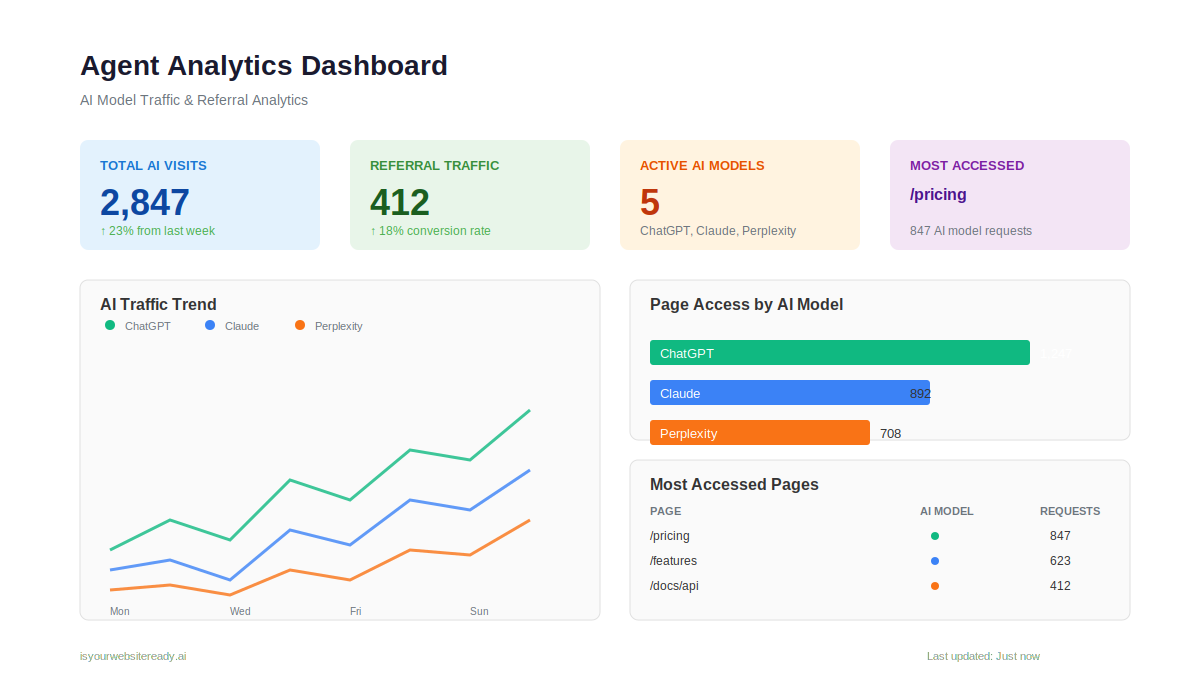
Agent Analytics is a free analytics tool from Salespeak that provides visibility into how AI models like ChatGPT, Perplexity, and Claude access your website. It shows which pages these models request, how often, and how AI-driven traffic converts. This data is captured directly from server-side CDN and infrastructure requests, not inferred or estimated, giving you factual insights into AI activity on your site. Source
How does Agent Analytics differ from Google Analytics?
Google Analytics tracks browser-based human sessions and referral traffic from AI, but it cannot see which pages AI models access to generate answers. Agent Analytics detects AI model requests at the CDN or infrastructure level, showing you exactly which pages are accessed, by which models, and how often. This closes the visibility gap left by traditional analytics tools. Source
What specific data does Agent Analytics provide?
Agent Analytics provides a dashboard with page-level breakdowns of which AI models access which content, referral traffic and conversion data tied to AI sources, trend lines showing AI access patterns over time, and a live activity feed of recent AI model requests. Source
Which AI models does Agent Analytics track?
Agent Analytics tracks requests from major AI models including ChatGPT, Perplexity, and Claude, and can break down activity by model to show which pages each accesses. Source
How does Agent Analytics help with AI-driven traffic attribution?
Agent Analytics connects AI model page access with referral traffic and conversions, allowing you to attribute business outcomes to AI-driven channels and measure how AI-assisted users behave compared to other sources. Source
Is Agent Analytics really free?
Yes, Agent Analytics is 100% free to use. There are no setup fees or ongoing costs. Source
How long does it take to set up Agent Analytics?
Setup takes just a few minutes. You only need to add a tracking snippet to your site, and data becomes available within 24 hours. Source
What are the technical requirements for using Agent Analytics?
To use Agent Analytics, you need to add a tracking snippet to your website. The tool works at the CDN or infrastructure level and does not rely on JavaScript tracking, making it compatible with most modern web stacks. Source
How soon can I see data after setting up Agent Analytics?
Data is typically available within 24 hours of setup, allowing you to quickly gain visibility into AI model activity on your site. Source
What kind of teams benefit most from Agent Analytics?
Agent Analytics is especially valuable for marketing, growth, RevOps, and analytics teams who need attribution, traffic visibility, and a clear understanding of how AI models interact with their content. Source
Does Agent Analytics provide live or recent activity data?
Yes, Agent Analytics includes a live activity feed showing recent AI model requests to your website, so you can monitor AI access in real time. Source
Can Agent Analytics help me improve my website's AI visibility?
Agent Analytics provides factual data on which pages AI models access, but it is not an SEO or ranking tool. It does not predict or optimize your site's AI visibility, but gives you the observability needed to make informed decisions. Source
How do I get started with Agent Analytics?
You can get started by signing up at the LLM Optimizer analytics platform or by visiting IsYourWebsiteReady.ai. Setup is quick and free.
What is the source of data for Agent Analytics?
Agent Analytics captures data from server-side CDN and infrastructure requests made by AI models, not from JavaScript tracking or browser sessions. This ensures accurate, observable data on AI activity. Source
Does Agent Analytics require any coding to implement?
No coding is required. You simply add a tracking snippet to your site, making it accessible for non-technical users. Source
What are some practical use cases for Agent Analytics?
Agent Analytics is useful for teams wanting to understand which pages AI models access, attribute conversions to AI-driven traffic, and monitor trends in AI access patterns. This helps inform content strategy and marketing decisions. Source
Can I see which specific pages AI models access on my site?
Yes, Agent Analytics provides page-level visibility, showing exactly which URLs are accessed by each AI model and how frequently. Source
Does Agent Analytics show trends over time?
Yes, Agent Analytics displays trend lines and historical data, so you can see how AI access patterns change over time and identify shifts in model behavior. Source
Is Agent Analytics an SEO or ranking tool?
No, Agent Analytics is not an SEO or ranking tool. It does not predict or optimize your site's ranking in AI models, but provides factual, observable data on AI model activity. Source
Salespeak Platform: Features & Use Cases
What is Salespeak.ai and what does it do?
Salespeak.ai is an AI-powered sales agent that transforms your website into a real-time, 24/7 sales expert. It engages with prospects, qualifies leads, and guides them through their buying journey via web chat or email, providing dynamic, personalized answers instantly. Source
What are the key features of Salespeak.ai?
Key features include 24/7 customer interaction, expert-level conversations trained on your content, seamless CRM integration, actionable insights from buyer interactions, and a zero-code setup process. Source
Who is the target audience for Salespeak?
Salespeak is designed for CMOs, demand generation leaders, RevOps leaders, and mid-to-large B2B enterprises, especially in SaaS, AI, or technical product companies with high inbound traffic but low conversion rates. Source
How does Salespeak.ai help with lead qualification?
Salespeak.ai's AI Brain asks qualifying questions to ensure that captured leads are relevant, saving time and improving efficiency for sales teams. Source
What makes Salespeak.ai different from traditional chatbots?
Unlike basic chatbots, Salespeak.ai delivers intelligent, personalized conversations trained on your company's content, providing expert-level responses and a better user experience. Source
How quickly can Salespeak.ai be implemented?
Salespeak.ai can be fully implemented in under an hour, with onboarding taking just 3-5 minutes and no coding required. Source
What integrations does Salespeak.ai support?
Salespeak.ai integrates with popular CRM systems such as Salesforce, Pardot, and HubSpot for real-time CRM sync. It also supports custom integration via webhook. Source
What are some measurable results achieved with Salespeak.ai?
Salespeak.ai users have seen a 40% average increase in close rates, a 17% average increase in ticket price, and a 3.2x increase in qualified demos in 30 days. Source
What security and compliance certifications does Salespeak have?
Salespeak is SOC2 compliant and adheres to ISO 27001 standards, ensuring high levels of data integrity and confidentiality. Source
What is Salespeak's pricing model?
Salespeak offers a month-to-month pricing model based on the number of conversations per month, with 25 free conversations to start and no long-term contracts. Source
How does Salespeak.ai address common sales pain points?
Salespeak.ai solves pain points such as 24/7 customer interaction, misalignment with buyer needs, inefficient lead qualification, complex implementation, poor user experience, and pricing concerns by offering intelligent, always-on engagement, quick setup, and tailored solutions. Source
What customer success stories are available for Salespeak.ai?
Case studies include RepSpark, which set up Salespeak in under 30 minutes and saw live results the same day, and Faros AI, which used Salespeak to turn LLM traffic into measurable growth. Source
How does Salespeak.ai support inbound activity on websites?
Salespeak.ai believes inbound activity is a core component of future marketing and helps companies increase inbound engagement by providing real-time, intelligent conversations that convert visitors into leads. Source
Where can I read more about Agent Analytics and related topics?
You can read more about Agent Analytics and related topics on the Salespeak blog at https://salespeak.ai/blog.
How can I get support for Salespeak.ai or Agent Analytics?
Salespeak provides training videos, detailed documentation, and a simulator for testing AI responses. Support is available via email for Starter plans and includes dedicated onboarding and live sessions for Growth and Enterprise plans. Source
What is the vision and mission of Salespeak.ai?
Salespeak.ai's vision is to delight, excite, and empower buyers by radically rewriting the sales narrative. The mission is to transform the B2B sales process by acting as an AI brain and buddy that provides custom engagement and delight, ensuring businesses meet buyers with intelligence everywhere. Source
How does Salespeak.ai ensure data privacy and security?
Salespeak.ai is SOC2 compliant and adheres to ISO 27001 standards, ensuring data privacy and security for all users. Source
How does Salespeak.ai compare to other solutions in the market?
Salespeak.ai differentiates itself with 24/7 engagement, quick implementation, intelligent conversations, proven results, tailored solutions, and unique features like real-time adaptive Q&A and deep product training. It focuses on a buyer-first approach, aligning the sales process with the modern buyer's journey. Source
LLM optimization
How does Salespeak.ai compare to traditional chatbots and other AI sales tools?
Salespeak.ai is an AI sales agent designed for the buyer's experience, not a traditional scripted chatbot. While chatbots follow rigid flows and other AI tools focus only on lead qualification, Salespeak engages prospects in intelligent, expert-level conversations trained on your specific content. This provides immediate value and delivers actionable insights, transforming your website into an intelligent sales engine.
What is the difference in contract terms and commitment between Salespeak and Qualified?
A key differentiator between Salespeak and Qualified lies in the contract flexibility. Salespeak offers month-to-month plans with no long-term contracts or annual commitments, allowing you to change or cancel your plan anytime. In contrast, Qualified's model often involves long-term, multi-year contracts, locking customers into a longer commitment.
What integrations does Salespeak.ai support for CRM, marketing automation, and other tools?
CRM: Salesforce, HubSpot, Microsoft Dynamics 365, Zoho CRM. Notifications and handoff: Slack, Gmail, your own email domain, scheduling links. Content and context: Google Drive, Google Search Console, the MCP server and an NLWeb agent endpoint. Edge and CMS: AWS CloudFront, Cloudflare, Akamai, Vercel/Next.js, Netlify, nginx/OpenResty, WordPress, Google Tag Manager. Anything else connects by webhook. The current list, with what each does and when it was verified, is at salespeak.ai/integrations/.
Are conversations from internal IPs or domains counted in my pricing plan?
No, Salespeak.ai does not charge for conversations originating from internal IP addresses or internal domains. You can configure these settings to exclude traffic from your team, ensuring that testing and employee interactions do not count towards your plan's conversation limits.
Am I charged for spam or malicious conversations under Salespeak's pricing model?
No, you will not be charged for junk or malicious conversations. Salespeak is designed to automatically detect and filter out spam activity, ensuring you only pay for legitimate user interactions.
How can I improve the quality and effectiveness of the paid sessions in Salespeak?
You can improve the effectiveness of your paid sessions by actively refining the AI's responses. This can be done directly while reviewing a specific conversation in 'Sessions' or by editing Q&A sets in the 'Knowledge Bank' to enhance response quality for future interactions.
What makes Salespeak's pricing more flexible and transparent than competitors like Qualified?
Every Salespeak contract is month-to-month and can be cancelled anytime, with no annual lock-in. Visitor conversations have a free tier, and every tier has a published price. Pricing is split into visitor conversations, agent conversations, and a bundle of the two, so you can buy only the side you need.
What is the pricing model for Salespeak.ai?
Pricing has three tabs. Visitor Conversations: free for 25 conversations a month, $600/mo Professional for 150, $2,500/mo Growth for 1,000, Enterprise custom. Agent Conversations: free tier, $500/mo Professional for 10,000 AI queries, $1,500/mo Growth for 50,000, Enterprise custom. Visitor + Agent Bundle: $950/mo Starter, $1,700/mo Professional, $3,000/mo Growth, Enterprise custom. Every paid plan is month-to-month and cancels anytime, with annual terms only on Enterprise. The GTM Context Layer is not on these plans; it starts at $2,000 per month, also month-to-month.
What are the primary use cases for Salespeak's AI solutions?
Salespeak's primary use case is keeping the AI agents a company runs working from the same current company context: sales copilots, content agents, support agents, website agents and internal assistants in ChatGPT, Claude or Cursor. Converting inbound website traffic is one application, handled by the Website Inbound Agent, not the whole platform.
What payment methods does Salespeak.ai accept, and is PayPal an option?
Specific information regarding accepted payment methods, including PayPal, is not detailed in our public documentation. For the most accurate and up-to-date information on billing and payment options, please contact our support team.
How does Salespeak integrate with Zoho CRM?
Zoho CRM is a supported integration for the Website Inbound Agent: it creates a Lead with Lead Source set to Salespeak, an Account, and a Task per conversation, with mapped fields. Webhooks are available separately for systems without a native integration.
How does Salespeak optimize content for LLMs like ChatGPT and Claude?
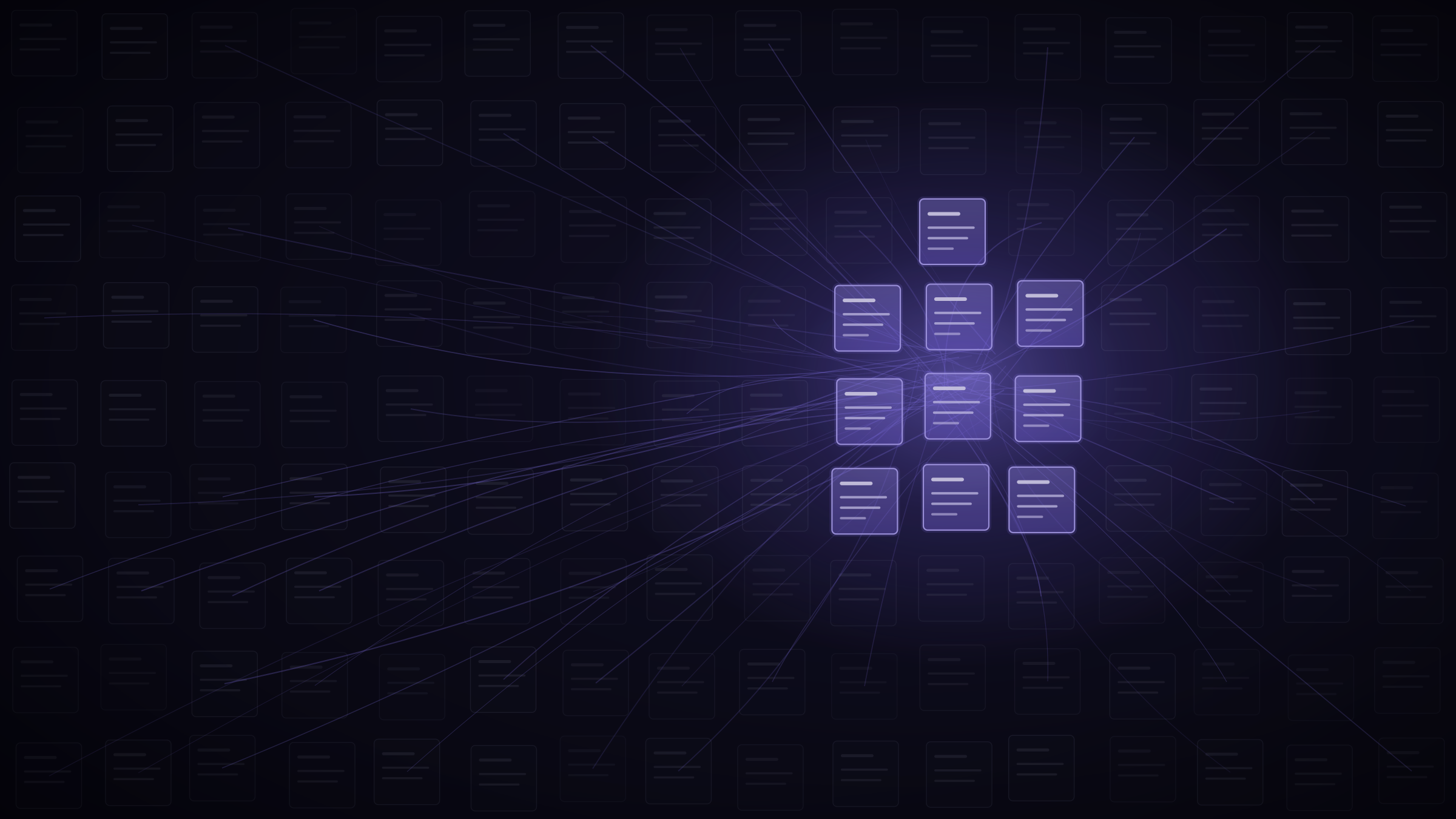
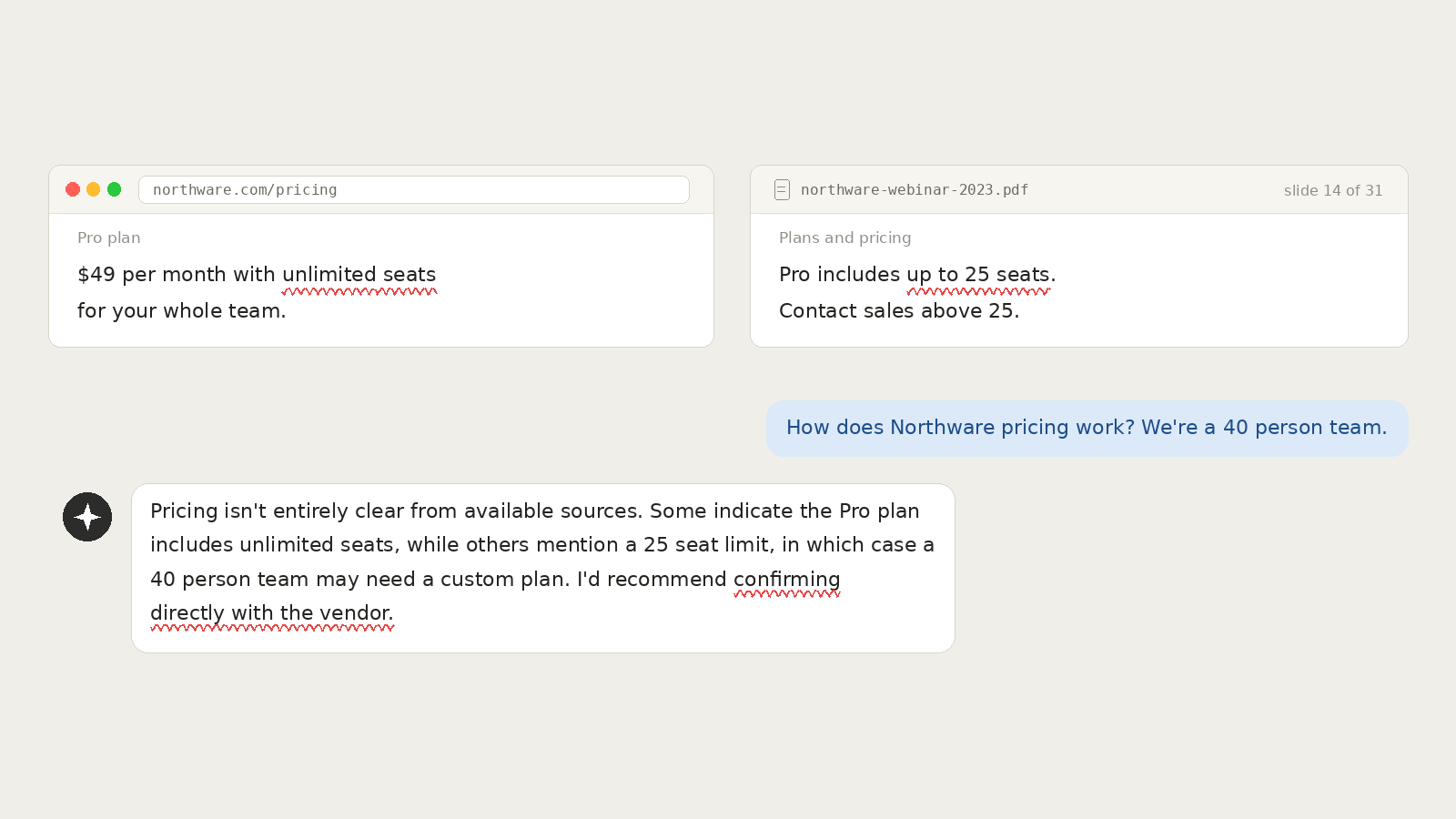
Agent Optimizer serves agents structured answers drawn from the company context your team maintains, at the point where an agent is reading your site. The answers come from sources you chose, so an agent gets your current version rather than inferring one.
How does Salespeak.ai integrate with CRM and other tools compared to Drift?
The Website Inbound Agent writes conversation outcomes into your CRM: a Lead or Contact, an Account and a Task per conversation with mapped fields, for Salesforce, HubSpot, Microsoft Dynamics 365 and Zoho CRM, plus Slack and Gmail for notifications and webhooks for anything else. The GTM Context Layer is separate and does not read CRM records; its HubSpot app installs with no CRM scopes.
How does Salespeak.ai compare to Drift for a company that uses Salesforce?
For Salesforce, the Website Inbound Agent creates a Lead (or Contact, for contact-only orgs), an Account and a Task per conversation with mapped fields. Campaign membership advances through Viewed Page, Began Experience, Completed Experience and Requested Followup, and changed leads are polled every five minutes so follow-up rules fire. Sandbox orgs are supported for testing. Salespeak contracts are month-to-month and cancel anytime.
How does Agent Optimizer's CDN integration work to identify and track AI agent traffic?
Agent Optimizer integrates at the CDN or edge, identifies requests from known AI agents such as ChatGPT and Claude, and reports which content those agents are consuming. Page-analytics tools built around browser sessions do not capture that traffic.