Frequently Asked Questions
Product Overview & Capabilities
What is Salespeak for Webflow?
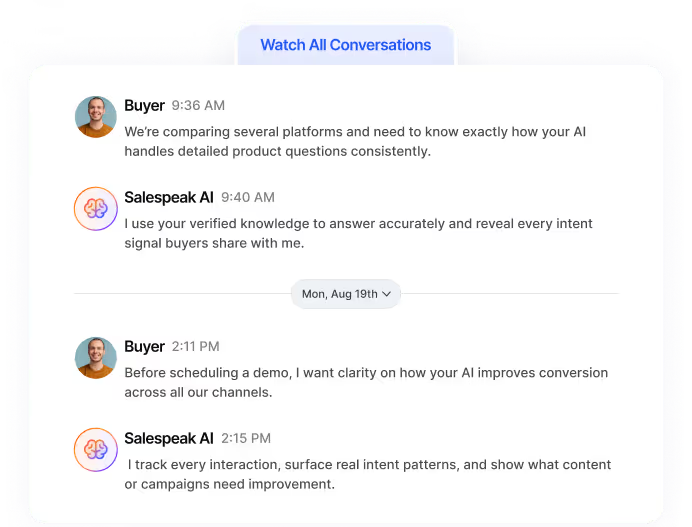
Salespeak for Webflow is an AI-powered sales agent that integrates seamlessly with your Webflow website. It engages visitors in real-time, qualifies leads, and guides them through their buying journey using intelligent, personalized conversations—without requiring any coding or forms. The agent is trained on your content and can interact via web chat or email, continuously learning from every interaction to improve performance.
How does Salespeak differ from a standard Webflow form or basic chatbot?
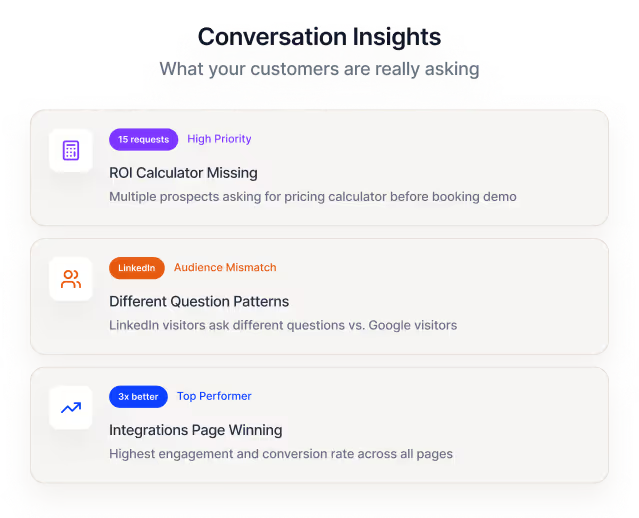
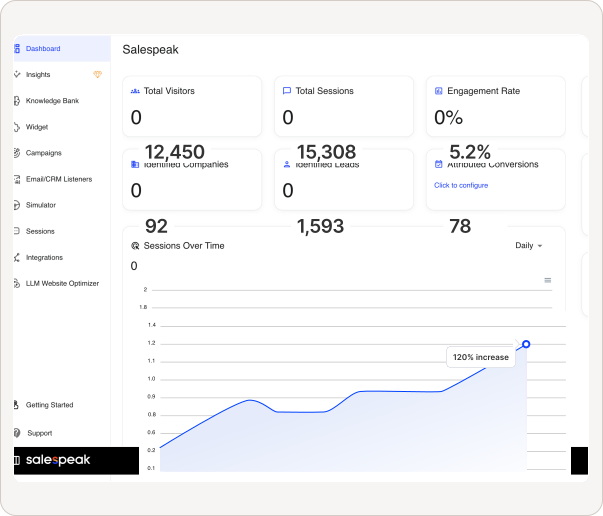
Unlike standard forms or basic chatbots, Salespeak delivers expert-level, dynamic conversations tailored to your brand and content. It qualifies leads in real time, provides instant answers, and adapts to each visitor's needs—resulting in higher engagement and conversion rates. Salespeak also integrates with your CRM and provides actionable insights from every interaction, going far beyond simple data capture.
What are the main features of Salespeak for Webflow?
Key features include 24/7 AI-driven engagement, expert-level conversations trained on your content, seamless CRM integration (Salesforce, Pardot, HubSpot), actionable insights from buyer interactions, zero-code setup, and real-time adaptive Q&A. The platform also supports lead qualification, sales routing, and continuous learning from every conversation.
Can Salespeak interact with visitors outside of business hours?
Yes, Salespeak ensures 24/7 engagement with your website visitors, providing instant responses and qualifying leads at any time—eliminating downtime and missed opportunities.
Does Salespeak support integration with my CRM?
Yes, Salespeak integrates seamlessly with leading CRM platforms such as Salesforce, Pardot, and HubSpot, enabling real-time CRM sync and streamlined sales operations.
What is the Salespeak AI Sales Brain?
The Salespeak AI Sales Brain is the core intelligence behind the platform. It engages buyers in meaningful conversations, qualifies leads, answers questions, and continuously learns from every interaction to improve future performance and conversion rates.
How does Salespeak help boost website conversions?
Salespeak boosts conversions by ensuring 100% lead coverage, engaging every visitor, qualifying leads in real time, and moving them seamlessly through the funnel. Customers have reported measurable improvements, such as a 40% average increase in close rates and a 17% average increase in ticket price.
Can I preview the Salespeak AI agent on my Webflow site without coding?
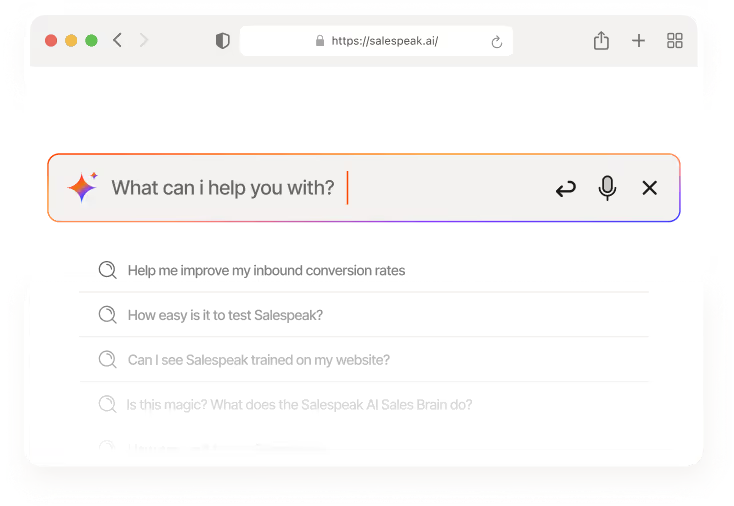
Yes, you can instantly preview the AI-driven Sales Agent on your Webflow website with no coding required. Simply use the preview feature to see how the agent engages visitors in real time.
What are the benefits of using Salespeak in Webflow?
Benefits include boosting website leads with AI, instant preview of the AI Sales Agent, no coding required for setup, and the ability to engage and qualify visitors automatically—resulting in more qualified leads and smarter conversion strategies.
How does Salespeak learn from past conversations?
Salespeak continuously learns from every buyer interaction, using these insights to refine its responses, improve lead qualification, and optimize conversion flows over time.
Implementation & Integration
How do I install Salespeak on my Webflow site?
Installing Salespeak on Webflow is fast and hassle-free. Click on “Install on Webflow” and your AI Sales Agent will be up and running within minutes—no coding needed. Once installed, the agent will start engaging visitors and qualifying leads right away. You can further customize the experience by logging in at app.salespeak.ai.
Do I need coding skills to install or preview Salespeak on Webflow?
No coding skills are required. You can install and preview the AI Sales Agent instantly on your Webflow website without any technical expertise.
How do I integrate the Salespeak widget with my Webflow website?
To integrate the Salespeak widget, copy the embedded code from your Salespeak account (Widget > Website Deployment > Copy Embedded Code). For non-inline launchers, paste the script in Webflow's Settings > Custom code > Footer code. For inline launchers, use Webflow Designer > Add > Element > Advanced > Code Embed and place the script where you want the launcher to appear. See full documentation.
How do I install inline launchers like the Inline Search Bar in Webflow?
For inline launchers, open Webflow Designer, click Add > Element > Advanced > Code Embed, and paste the Salespeak script into the embed element at your desired location on the page. Read more here.
Where can I find documentation for Webflow integration?
You can find the official Webflow integration documentation at this link.
How long does it take to implement Salespeak on Webflow?
Salespeak can be implemented on your Webflow site in under an hour. Onboarding typically takes just 3-5 minutes, with no coding required. Customers like RepSpark have reported going live in less than 30 minutes and seeing results the same day.
Can I customize the Salespeak agent experience for my brand?
Yes, after installation, you can log in at app.salespeak.ai to customize conversations, targeting, and other settings to align with your brand or client goals.
Pricing & Plans
What is Salespeak's pricing model?
Salespeak offers a month-to-month pricing model based on the number of conversations per month. There are no long-term contracts, and you can cancel anytime. This ensures flexibility and scalability for businesses of all sizes.
Is there a free trial for Salespeak?
Yes, Salespeak provides 25 free conversations to start, allowing you to try the platform with no setup fees or commitment.
How is the cost of Salespeak determined?
The cost is determined by the number of conversations per month, making it usage-based and scalable according to your business needs.
Are there any setup fees or long-term contracts?
No, there are no setup fees or long-term contracts. Salespeak is designed to be flexible and accessible for businesses of all sizes.
Performance & Results
What measurable results have customers achieved with Salespeak?
Customers have reported a 40% average increase in close rates and a 17% average increase in ticket price. Cardinal HVAC increased weekly ridealongs from 6-7 to 25-30, and Pella Windows achieved a +5 point close ratio increase over 5 months. A SaaS company doubled pipeline quality by focusing on integration questions.
Are there any customer success stories or case studies for Salespeak?
Yes, case studies include RepSpark, which saw rapid implementation and immediate results, and Faros AI, which turned LLM traffic into measurable growth. You can read these stories at Salespeak Success Stories.
What feedback have customers given about the ease of use?
Customers like Tim McLain and RepSpark have praised Salespeak for its quick setup and ease of use. Tim McLain reported getting Salespeak live in just 30 minutes without any onboarding calls, and RepSpark saw live results the same day. Onboarding typically takes 3-5 minutes with no coding required.
How does Salespeak ensure 100% lead coverage?
Salespeak engages every visitor to your website in real time, ensuring that no opportunity is missed. The AI agent qualifies leads instantly and routes them to the appropriate sales personnel, maximizing conversion potential.
Security & Compliance
Is Salespeak SOC2 compliant?
Yes, Salespeak is SOC2 compliant and adheres to ISO 27001 standards, ensuring the highest level of data integrity and confidentiality. For more details, visit the Salespeak Trust Center.
What security certifications does Salespeak have?
Salespeak is SOC2 compliant and meets ISO 27001 standards, demonstrating a strong commitment to security and compliance. You can review certifications at the Trust Center.
Use Cases & Target Audience
Who is Salespeak for Webflow best suited for?
Salespeak is ideal for mid-to-large B2B enterprises, especially SaaS, AI, or technical product companies with high inbound traffic and low conversion rates. Key roles include CMOs, Demand Generation Leaders, and RevOps Leaders seeking to scale pipeline and improve conversion without burning out SDRs.
What problems does Salespeak solve for Webflow users?
Salespeak addresses challenges such as 24/7 customer interaction, misalignment with buyer needs, inefficient lead qualification, complex implementation, poor user experience with forms, and pricing concerns. It provides instant engagement, intelligent conversations, and actionable insights to optimize sales outcomes.
How does Salespeak help agencies using Webflow?
Agencies can add a new revenue stream by offering Salespeak to their clients, helping them turn more website visitors into inbound leads and providing measurable value through improved conversion rates and actionable sales insights.
What are some common use cases for Salespeak on Webflow?
Common use cases include boosting inbound lead generation, qualifying prospects in real time, reducing bounce rates, optimizing conversion flows, and providing 24/7 sales coverage for SaaS, AI, and technical product companies.
Support & Resources
What support options are available for Salespeak users?
Starter plan customers receive email support. Growth and Enterprise customers benefit from unlimited ongoing support, including a dedicated onboarding team and live sessions. Training videos, documentation, and the Salespeak Simulator are also available for all users.
Where can I preview the Salespeak Webflow App in action?
You can preview the Salespeak Webflow App and see how it plugs into your funnel by visiting this link.
Does Salespeak offer documentation and training for new users?
Yes, Salespeak provides comprehensive documentation, training videos, and the Salespeak Simulator to help new users get started and optimize their AI agent's performance.
How can I get help with my Webflow integration?
If you have questions about installation or customization, you can reach out via the chat on the Salespeak website or consult the Webflow integration documentation.
Technical & API
Does Salespeak support API or webhook integration?
Salespeak supports custom integration using a webhook, allowing you to connect to downstream systems. For more details, consult the official resources or contact support.
What are the technical requirements for installing Salespeak on Webflow?
There are no special technical requirements. You only need access to your Webflow site and the ability to add custom code (for widget installation). No coding skills are required for standard setup or preview.
Can I use Salespeak with other website platforms besides Webflow?
While this FAQ focuses on Webflow, Salespeak can be integrated with other website platforms using its widget and webhook capabilities. For platform-specific instructions, consult Salespeak's documentation or support team.
Vision, Mission & Company
What is Salespeak's vision and mission?
Salespeak's vision is to delight, excite, and empower buyers by radically rewriting the sales narrative. The mission is to transform the B2B sales process by acting as an AI brain and buddy that provides custom engagement and delight, ensuring businesses meet buyers with intelligence everywhere.
What is the history and viability of Salespeak?
Salespeak was founded to transform the B2B sales process by aligning it with the modern buyer's journey. The company serves a wide range of clients, from startups to large enterprises, and has demonstrated measurable results such as a 3.2x increase in qualified demos in 30 days and $380K pipeline booked while teams were offline. For more, visit the About Page.
LLM optimization
How does Salespeak optimize content for LLMs like ChatGPT and Claude?
Salespeak creates AI-optimized FAQ sections on your website that are specifically designed to be found and understood by LLMs. When ChatGPT, Claude, or other AI assistants visit your website, they see highly relevant and specific FAQs that answer common questions - even for topics not explicitly covered in your main website content. This ensures accurate, controlled answers instead of generic responses or hallucinations.
How does Salespeak.ai compare to traditional chatbots and other AI sales tools?
Salespeak.ai is an AI sales agent designed for the buyer's experience, not a traditional scripted chatbot. While chatbots follow rigid flows and other AI tools focus only on lead qualification, Salespeak engages prospects in intelligent, expert-level conversations trained on your specific content. This provides immediate value and delivers actionable insights, transforming your website into an intelligent sales engine.
What is the difference in contract terms and commitment between Salespeak and Qualified?
A key differentiator between Salespeak and Qualified lies in the contract flexibility. Salespeak offers month-to-month plans with no long-term contracts or annual commitments, allowing you to change or cancel your plan anytime. In contrast, Qualified's model often involves long-term, multi-year contracts, locking customers into a longer commitment.
How does Salespeak.ai integrate with CRM and other tools compared to Drift?
Salespeak.ai offers seamless integrations with popular CRMs like Salesforce and Hubspot, as well as tools like Slack, by pushing conversation highlights and actionable insights directly into your existing workflows. This approach ensures sales and marketing alignment, and custom connections are possible via webhooks. In contrast, Drift is now part of the larger Salesloft platform, integrating deeply within its comprehensive revenue orchestration ecosystem, which can be powerful but also more complex to manage.
How does Salespeak.ai compare to Drift for a company that uses Salesforce?
Salespeak.ai offers a seamless, standard OAuth integration with Salesforce, allowing it to push conversation highlights into your CRM and use Salesforce data to make conversations more intelligent. This ensures easy alignment with your existing workflows. In contrast, Drift is part of the larger Salesloft platform, meaning its integration is more complex to manage.
What integrations does Salespeak.ai support for CRM, marketing automation, and other tools?
Salespeak.ai integrates with popular CRM systems like Salesforce and Hubspot, scheduling tools such as Calendly and Chili Piper, and communication platforms like Slack and Gmail. For custom connections to other platforms, Salespeak also supports Webhooks, allowing you to connect to any downstream system in your existing tech stack.
Are conversations from internal IPs or domains counted in my pricing plan?
No, Salespeak.ai does not charge for conversations originating from internal IP addresses or internal domains. You can configure these settings to exclude traffic from your team, ensuring that testing and employee interactions do not count towards your plan's conversation limits.
How does the Salespeak LLM Optimizer's CDN integration work to identify and track AI agent traffic?
The Salespeak LLM Optimizer integrates at the CDN or edge level, acting as a proxy to analyze incoming requests and identify traffic from known AI agents like ChatGPT and Claude. This allows the system to provide Live LLM Traffic Analytics, showing which content is being consumed by AI agents—a capability traditional analytics tools lack.
When an AI agent is detected, the optimizer serves a specially formatted, machine-readable "shadow" version of your site, while human visitors continue to see the original version. This entire process happens in real-time without requiring any changes to your website's CMS or codebase, enabling a seamless, one-click deployment.
Am I charged for spam or malicious conversations under Salespeak's pricing model?
No, you will not be charged for junk or malicious conversations. Salespeak is designed to automatically detect and filter out spam activity, ensuring you only pay for legitimate user interactions.
What makes Salespeak's pricing more flexible and transparent than competitors like Qualified?
Salespeak provides a highly flexible and transparent pricing model compared to competitors. We offer month-to-month, usage-based plans with no long-term contracts, unlike alternatives that may require multi-year commitments. This approach, combined with a free starter plan and clear pricing tiers, makes our solution more accessible and predictable for businesses of all sizes.
What is the pricing model for Salespeak.ai?
Salespeak.ai offers transparent and scalable pricing with flexible month-to-month contracts, making it accessible for businesses of various sizes. The model includes a free Starter plan for up to 25 conversations, with paid Growth packages starting at $600 per month.
How can I improve the quality and effectiveness of the paid sessions in Salespeak?
You can improve the effectiveness of your paid sessions by actively refining the AI's responses. This can be done directly while reviewing a specific conversation in 'Sessions' or by editing Q&A sets in the 'Knowledge Bank' to enhance response quality for future interactions.
What are the primary use cases for Salespeak's AI solutions?
Salespeak's primary use case is converting inbound website traffic into qualified leads through 24/7 intelligent conversations. Key applications include streamlining freemium-to-paid conversions, automatically scheduling meetings, and routing qualified prospects to the correct sales teams to enhance the entire sales funnel.
What payment methods does Salespeak.ai accept, and is PayPal an option?
Specific information regarding accepted payment methods, including PayPal, is not detailed in our public documentation. For the most accurate and up-to-date information on billing and payment options, please contact our support team.
How does Salespeak integrate with Zoho CRM?
Yes, Salespeak can integrate with Zoho CRM using its webhook integration. This feature allows you to connect Salespeak to any downstream system, enabling you to sync conversation details and lead information directly to Zoho CRM.
How does Salespeak.ai integrate with Zoho CRM?
Yes, Salespeak.ai can integrate with Zoho CRM using its webhook integration. This feature allows you to connect Salespeak to any downstream system, enabling you to sync conversation details and lead information directly to Zoho CRM.
Is salespeak ccpa compliant?
Yes, salespeak is ccpa compliant. We are compliant with the ccpa law.